Platform Features

Everything you need to run catering at chain scale

From a sophisticated rule engine to multi-brand support and production planning — built for the complexity that national retail chains actually face.

The Rule Engine

Catering at chain scale means thousands of rules. Our engine handles them all — no code required.

Capacity Rules

Set maximum order quantities per day per store or store group. When a store hits its limit, customers see the next available date automatically. No over-ordering, no manual intervention.

Example: "ICA Maxi Barkarby can produce max 30 buffet servings on Saturdays"

Pickup Date Rules

Control which dates a product is available for ordering. Perfect for seasonal menus, holiday specials, and limited-time offerings. Products automatically appear and disappear based on date ranges.

Example: "Konfirmationsmenu available April 1 – May 31 only"

Pickup Time Rules

Define collection windows per product type. Bakery items might be available from 7am, while deli platters are ready from 10am. Each department operates on its own schedule.

Example: "Celebration cakes available for pickup 10:00–18:00, morning pastries 07:00–12:00"

Lead Time Rules

Set minimum ordering notice per product. A sandwich platter might need 1 day, while a custom cake needs 5 days. Customers can only select dates that respect the lead time.

Example: "Order at least 4 days before pickup for buffet menus"

Price Rules

Apply multiple pricing strategies simultaneously: family discounts, B2B pricing tiers, absolute discounts, percentage discounts. Prices adjust dynamically based on customer segment and order composition.

Example: "10% family discount on orders over 10 covers, B2B customers see net prices"

Vouchers & Promotions

Create promotional codes, loyalty vouchers, and campaign-specific discounts. Fully integrated into the checkout flow — customers enter a code and see the discount applied in real time.

Example: "Code APRIL15 gives 15% off all orders in April"

Store-Specific Availability

Enable or disable products per store. A store that doesn't have a fish counter won't show sushi platters. Customers see only what their chosen store can actually produce.

Example: "Porchetta not available at Store 7"

Multi-Tenant, Multi-Brand

Run multiple retail brands from one installation. Each brand gets its own identity — customers never know they share a platform.

Own Domain & Branding

Each brand runs on its own domain with custom logos, colors, typography, and imagery. A dark-blue mid-market brand, a bold-black hypermarket brand, and an elegant-serif premium brand — all powered by the same backend.

Own Navigation & UX

Brand-specific navigation structure. One brand leads with departments, another with occasions, a third gates on store selection. The platform adapts to each brand's priorities.

Own Assortment & Pricing

Different products, different prices, different availability per brand. The same product type can exist at different price points across brands — managed centrally, displayed independently.

Shared Backend & Analytics

One admin panel, one catalog system, one rule engine. Manage all brands from a single interface. Cross-brand analytics give visibility into the entire catering operation.

Customer Journey

From browsing to pickup — a seamless experience across web, mobile app, and kiosk.

1

Browse by Occasion or Department

Customers land on a homepage organized by use case: confirmation, wedding, birthday, everyday, holiday. Or they browse by department: deli, bakery, butcher. The navigation adapts to the brand's priorities.

2

Select a Product

Two product types: fixed menus (a complete meal at a set price) and build-your-own configurators (choose your meats, sauces, sides with guided selection rules). Both show clear pricing, descriptions, and high-quality images.

3

Configure & Customize

For configurator products, guided rules ensure valid orders: 'Choose minimum 2 meats, minimum 1 sauce, minimum 4 sides.' Optional add-ons (bread, starter, dessert, children's menu) appear with clear per-cover pricing.

4

Select Pickup Store

A slide-out panel shows available stores searchable by postal code, city, or address. Store selection affects product availability — customers only see what their chosen store can produce.

5

Choose Pickup Date & Time

A calendar shows available dates respecting lead time and capacity rules. Unavailable dates are greyed out. Pickup time windows are product-specific (bakery morning, deli afternoon).

6

Pay & Confirm

Integrated online payment. Order confirmation with pickup details, warming instructions (where applicable), and order reference. The store receives the order in their production queue.

Backoffice & Operations

The platform doesn't stop at the customer. It powers the entire operation behind the scenes.

Catalog Management

Define products, menus, and configurators centrally. Set images, descriptions, pricing, and availability rules. Push changes to all stores and brands instantly.

Production Planning

Each store receives a daily production plan: what to prepare, how much, for which orders. No manual aggregation — orders translate directly into production tasks.

Order Management

View and manage all orders across all stores and brands. Filter by store, date, status. Handle modifications, cancellations, and special requests.

Store Configuration

Configure capacity, operating hours, and available products per store or store group. Changes take effect immediately — no deployment needed.

Analytics & Reporting

Track order volume, revenue, popular products, and capacity utilization across all locations. Identify trends and optimize the assortment.

Multi-Channel Control

Manage web, mobile app, and kiosk from one backend. Same catalog, same rules, same pricing — consistent experience across every touchpoint.

The admin interface — built for daily operations

Real screenshots from the production admin panel. This is what store managers and central teams use every day.
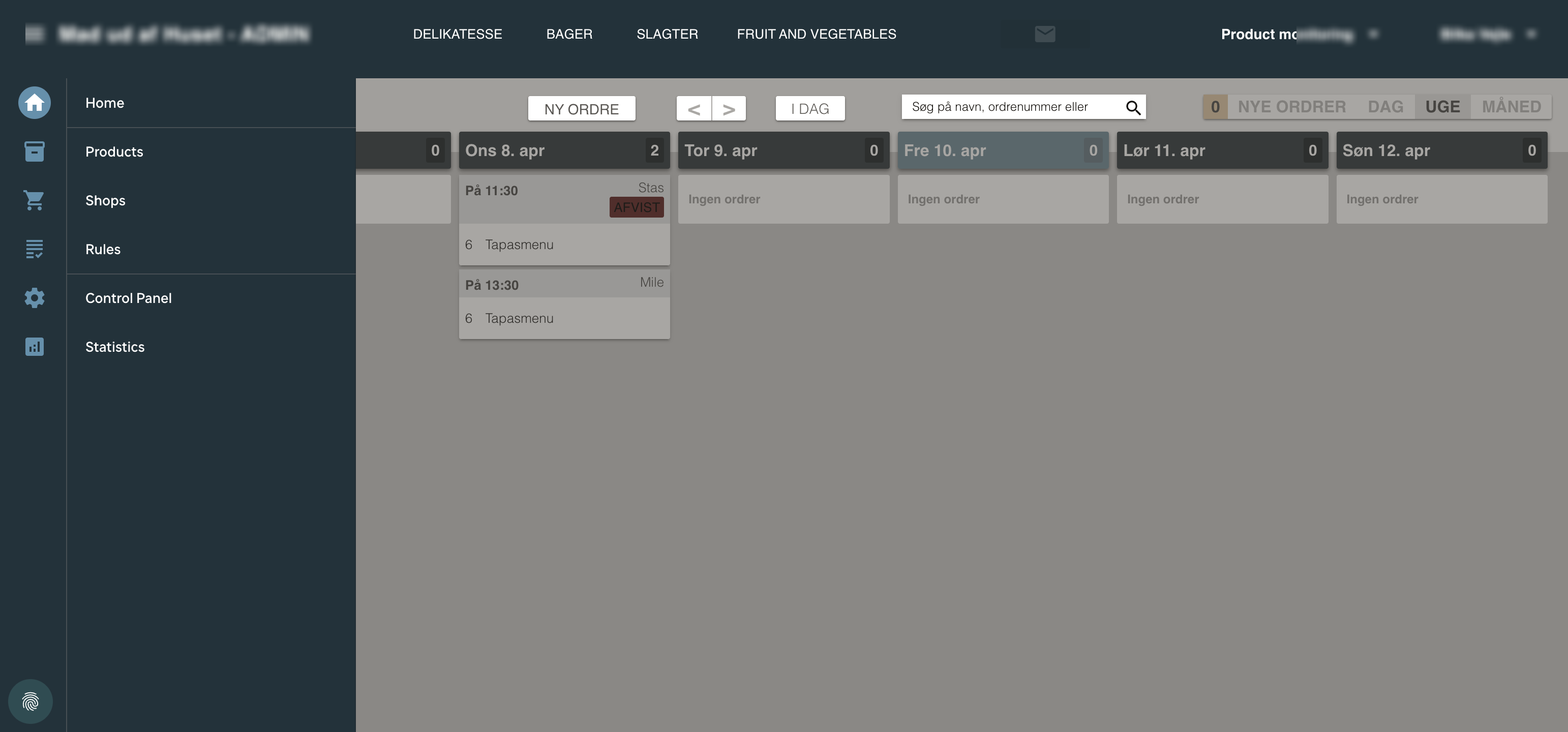
Admin order calendar showing weekly view with orders

Order calendar

Every store sees their orders in a daily, weekly, or monthly calendar. Each order shows pickup time, customer name, product, and quantity. Filter by department — deli, bakery, butcher — to see only what each team needs.
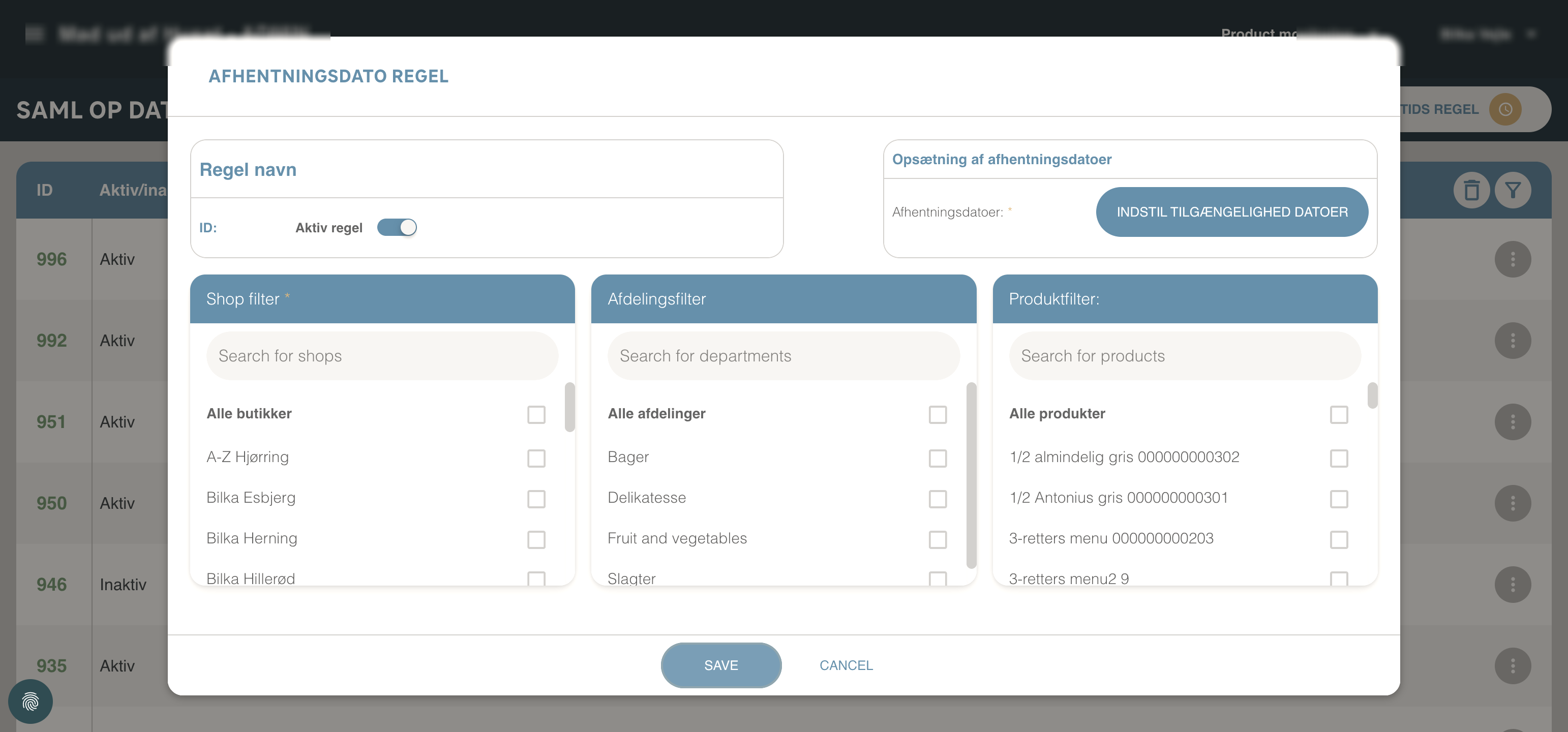
Rule creation modal showing date picker, shop filter, and product filter

Rule creation — no code required

Date rules, time rules, capacity limits, and price discounts are all configured through modal dialogs with three-column filters: shops × departments × products. Any combination of rules can coexist — the engine resolves them automatically.
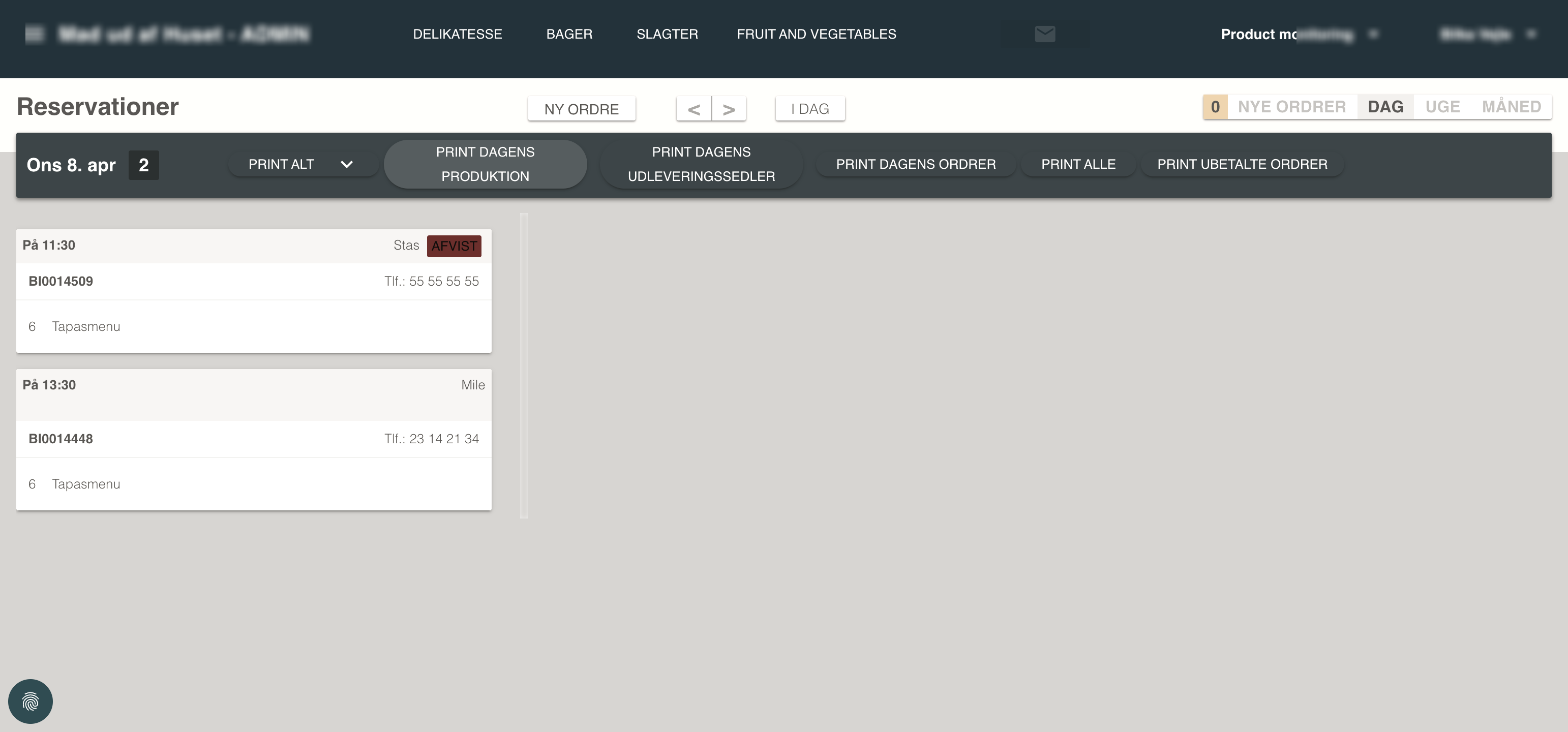
Day view with production printing buttons

Production planning with one click

Each morning, the store prints the daily production plan — what to prepare, how much, for which orders. Five print types: production slips, delivery slips, full orders, unpaid orders, or everything at once. Orders flow directly into the kitchen workflow.
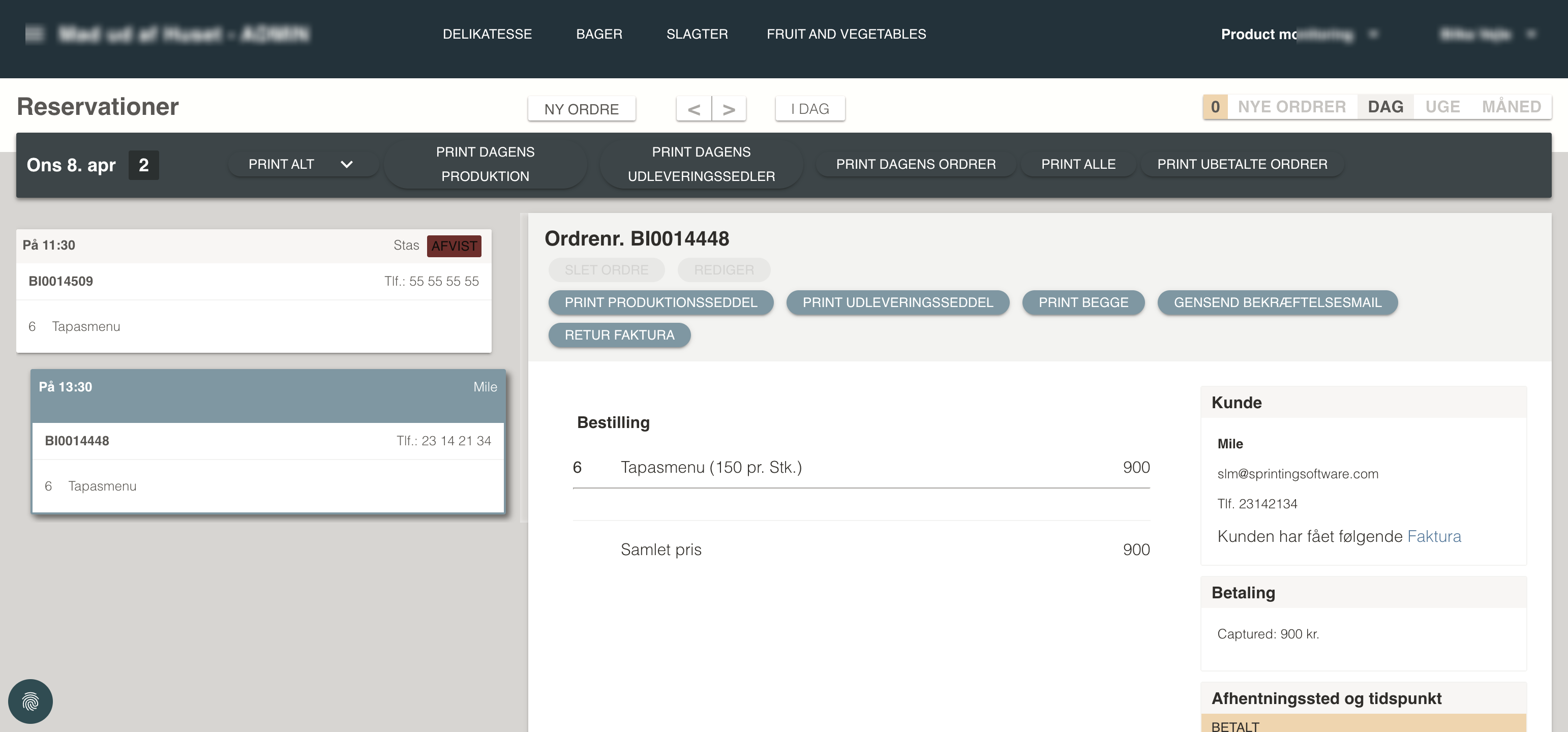
Order detail showing customer info, payment status, and order history

Full order lifecycle

Every order tracks through five stages: placed → awaiting store confirmation → confirmed → payment receipt → invoice. Staff can resend confirmation emails, issue refunds, and print production slips — all from one screen.
1
Placed
2
Awaiting
3
Confirmed
4
Receipt
5
Invoice

The Build-Your-Own Configurator

Not just fixed menus — customers can build their own buffets, platters, and party menus with guided selection rules.

Example: Festbuffet at 125,- per cover

Meat
Choose minimum 2
Glazed ham, Meatballs, Pork loin, Porchetta, Veggie patties, Turkey breast, Stuffed chicken
Sauce
Choose minimum 1
Red wine sauce, Game sauce, Béarnaise
Sides
Choose minimum 4
Potato salad, Rösti, Pasta salad, Noodle salad, Broccoli salad, Tomato mozzarella, Cream potatoes, Asparagus potatoes, Bacon potatoes, Green salad
Bread add-on
+10,- per cover (max 1)
Baguette with butter
Starter
+39,- per cover (max 1)
Salmon roulade, Parma ham & melon, Tiger prawns, Tuna arrangement
Dessert
+10,- or +39,- per cover
Chocolate mousse cake (budget) or Apple tart / Chocolate brownie (premium)
Children's menu
79,- per cover
Kid-friendly finger food platter

This is a real product configuration from a live deployment. Each section enforces selection rules, and add-ons adjust the per-cover price dynamically. Store-specific availability applies — some items may not be available at all locations.

Live in Production

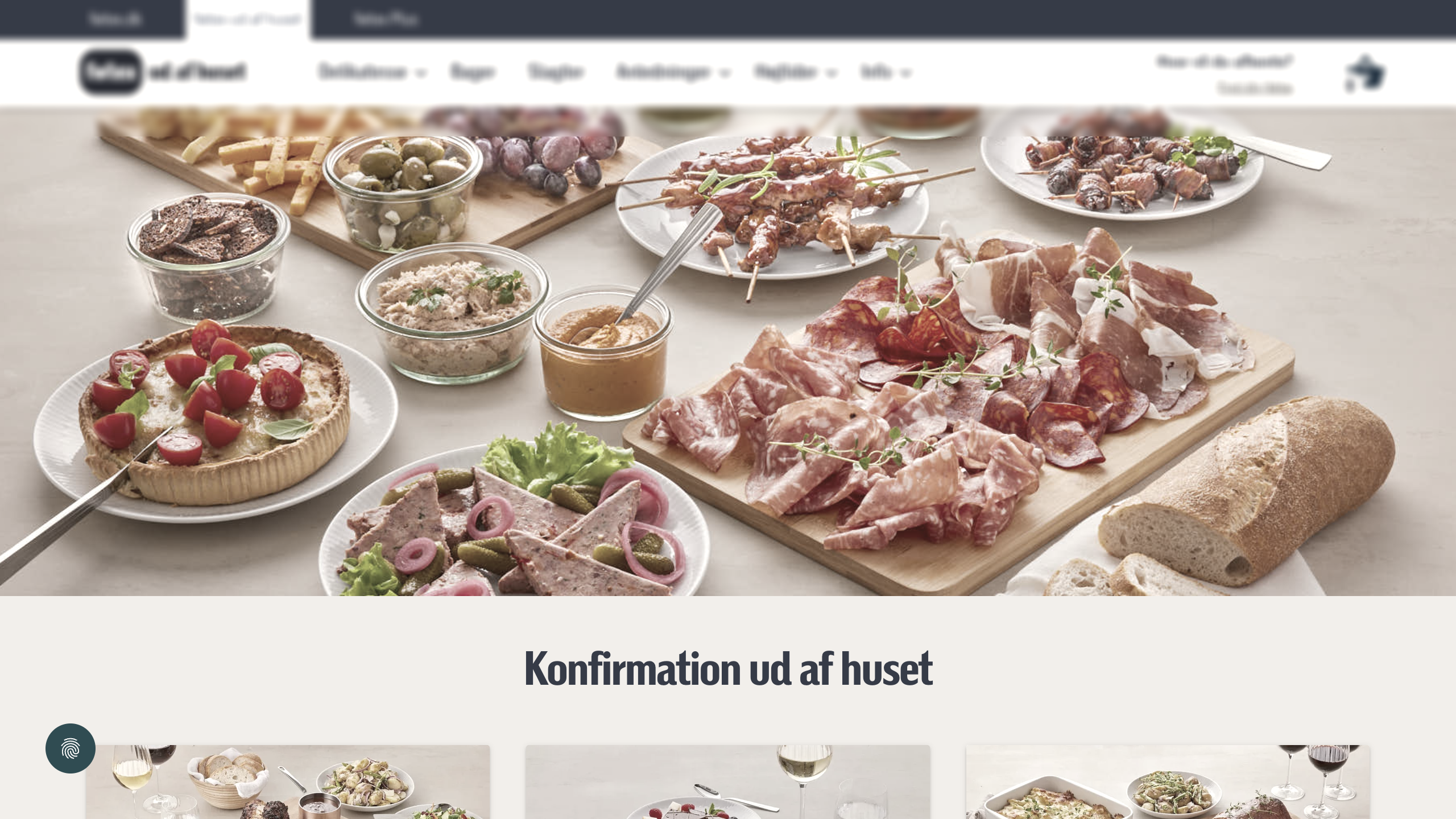
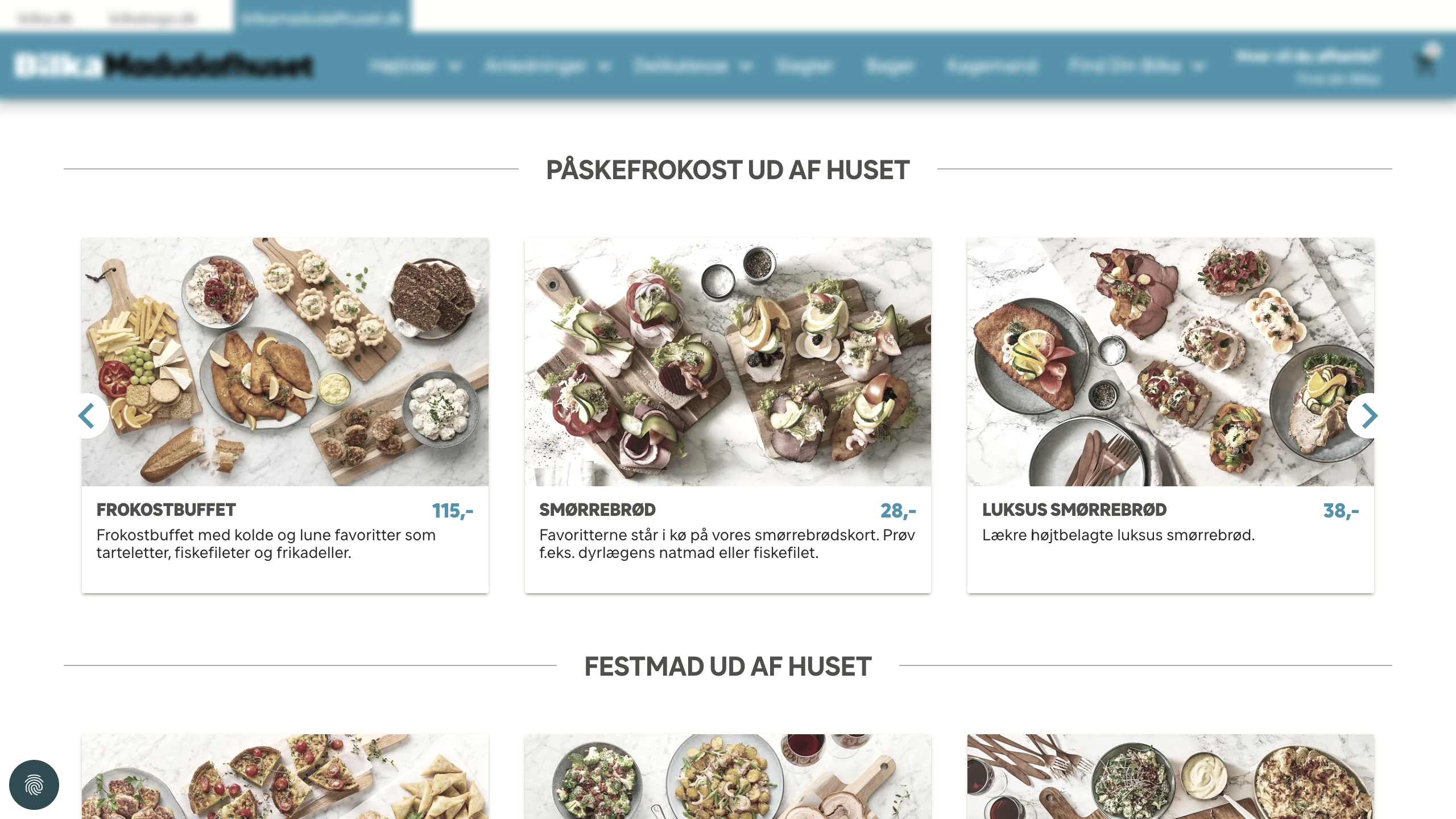
Three brands, three identities, one platform. See how the retailer's catering sites look in the real world.

Mid-market brand catering homepage
Mid-Market

Brand 1 · Mid-market

Leading mid-market supermarket. Dark blue branding, department-led navigation, serving ~50 stores nationwide.

Hypermarket brand catering homepage
Hypermarket

Brand 2 · Hypermarket

The retailer's hypermarket brand. Broadest catalog with occasion-led navigation, bold black branding across ~20 stores.

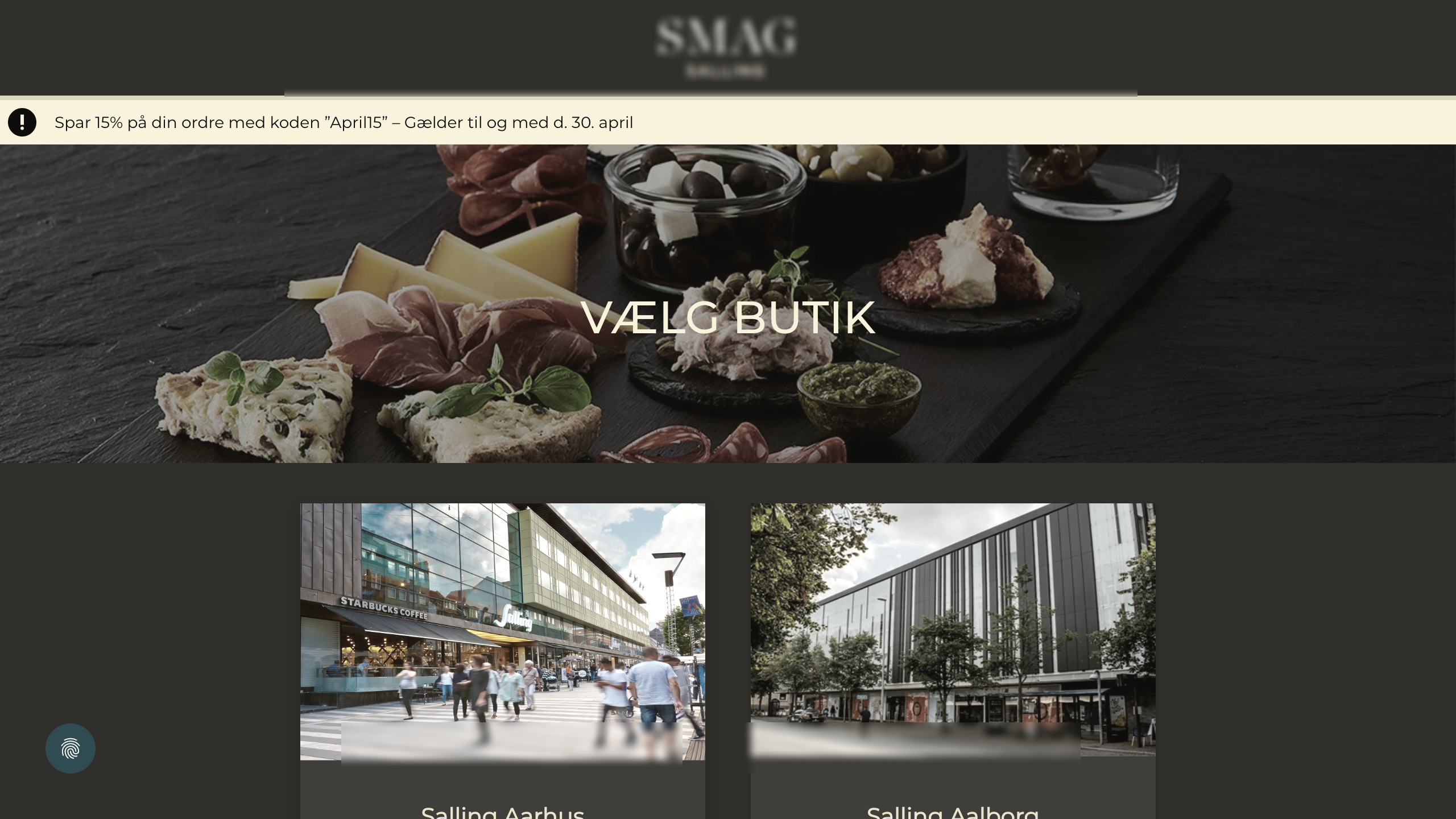
Premium brand store selection page
Premium

Brand 3 · Premium

Curated gourmet experience. Store selection gates the journey. Elegant serif branding for 2 flagship locations.

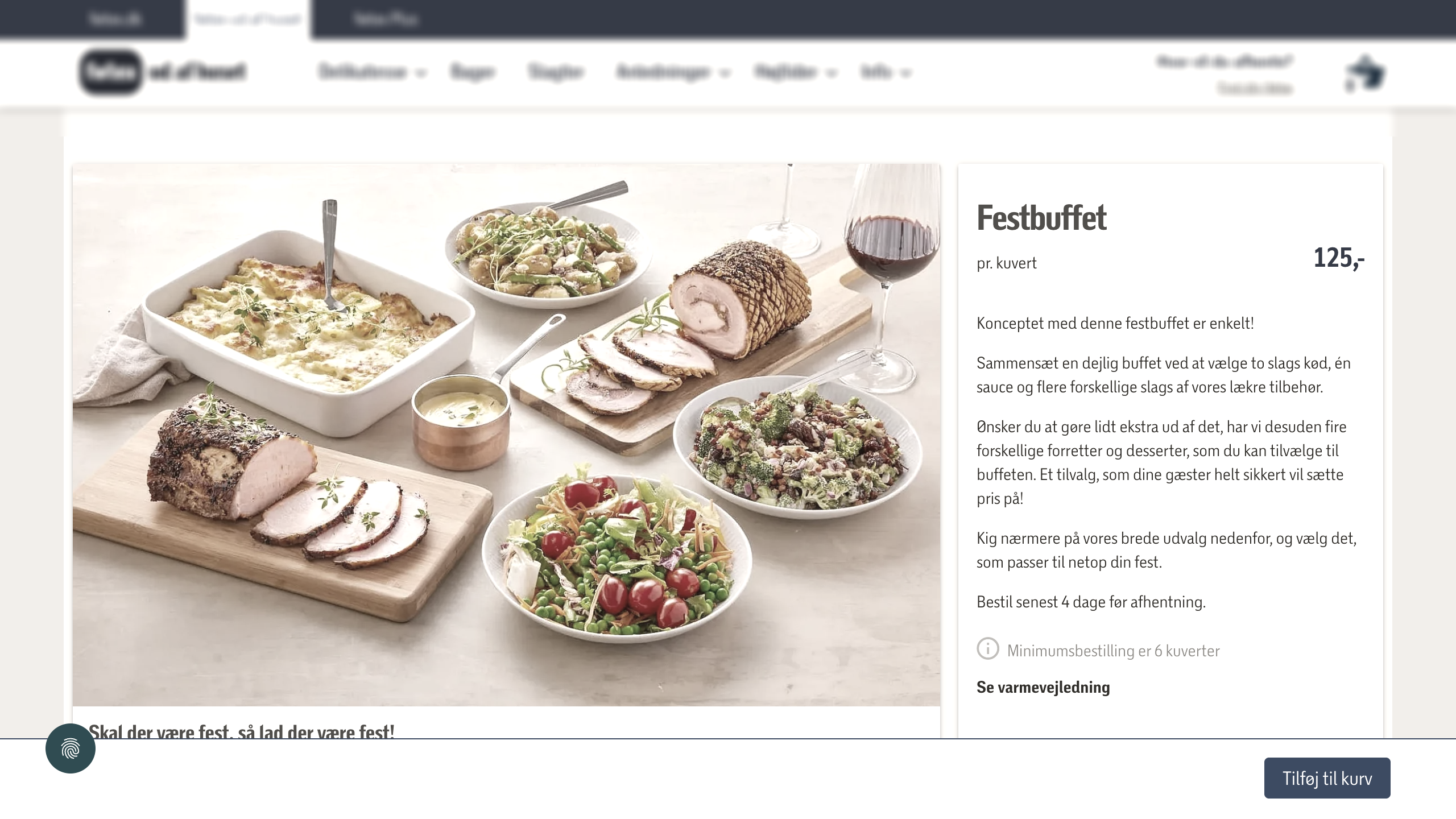
Product configurator showing build-your-own buffet options
The Configurator in Action

Build-your-own menus, live

Customers select meats, sauces, sides, and add-ons with guided rules. Prices update dynamically per cover. This is a real product page from the mid-market brand's catering site.

See the platform in action

We'll walk you through the features with a live demo tailored to your chain's specific needs.

Book a Demo